
CloudPilot
SaaS platform · Online
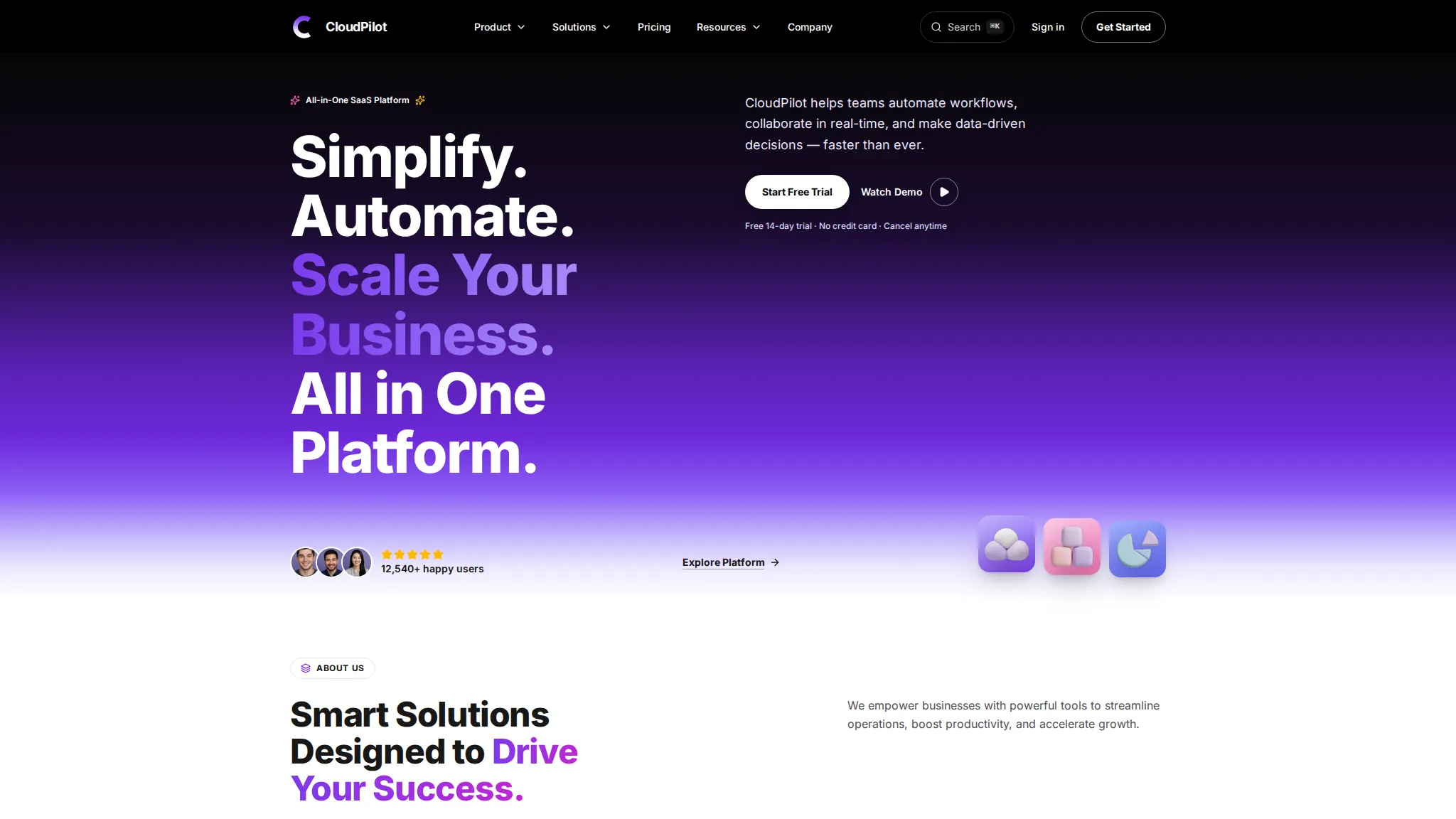
At a glance
Best for: SaaS teams who want buyers to try the product's value, compare plans and sign in with a demo account before talking to sales.
CloudPilot is a SaaS product demo site: three tools, pricing with a monthly/yearly toggle, an ROI calculator with live sliders, a help centre with live search, and a demo login. Everything runs in the browser as a working demo — you can move the calculator sliders and sign in with the demo account, but no real workspace or subscription is created.
The problem
Demo scenario — a typical situation for this kind of business, not a real client's problem.
A typical SaaS problem: buyers will not talk to sales until they can see what the product is worth to them — what it saves, what it costs, and whether it fits their team. Pricing pages hide the numbers behind a sales call, and help pages bury answers in long articles. A buyer who cannot work out the value alone moves on to a competitor. This is a demo scenario for this kind of business — CloudPilot is not a real product and had no real customer problem to solve.
How we approached it
- 1 An ROI calculator leads the pitch, with live sliders for team size, manual hours and hourly cost. A buyer trusts their own numbers more than a vendor's claims, so the calculator works with figures they enter. It is deliberately conservative and says so, which makes the result believable instead of salesy.
- 2 Pricing is shown openly with a monthly/yearly toggle, and the page states plainly that all prices are demo data. Hidden pricing is the fastest way to lose a SaaS buyer, so the demo shows real-looking plans with a toggle. Labelling them as demo data keeps the page honest while still showing how pricing would work.
- 3 A demo login with a pre-filled account, instead of a sign-up wall that blocks the product tour. A visitor who has to create an account before seeing anything usually leaves. The demo account lets anyone sign in in one click, so the product — not the form — does the convincing.
What the demo includes
- Three tools pages (FlowMaster, TeamSync, InsightPro)
- Pricing with monthly/yearly toggle
- ROI calculator with live sliders
- Help centre with live search
- Demo login with pre-filled account
- Product tour and integrations pages
- Compare pages and customer stories
- Request-demo and contact forms
What you can try
- 1 Move the sliders on /roi-calculator/ and watch the yearly savings and payback period update live
- 2 Sign in on /login/ with the demo account demo@cloudpilot.app and password demo1234
- 3 Switch the pricing toggle on /pricing/ between monthly and yearly to see the 20% difference
- 4 Search the help centre on /help/ and open a tool page like /tools/flowmaster/
Limitations
- Demo data only — the prices, savings figures and customer stories are illustrative, and the pricing page says so
- No real account, workspace or subscription is created — the demo login signs you into a mock product
- The ROI results assume the calculator automates 60% of manual hours — your mileage will vary, as the page notes
- No client results or metrics exist yet — this demo has never run a real SaaS product, so nothing about signups or revenue can be claimed
Your next step
Want a SaaS website like this? Order the Business Website service and we will build it with your real product, pricing and signup setup.
The project
A SaaS product site — three tools, pricing with monthly/yearly toggle, ROI calculator, help centre with live search and a demo login.
The story
Visitors can try the ROI calculator, search the help centre, compare plans and sign in with the demo account.
What we built
- ROI calculator with live sliders
- Pricing monthly/yearly toggle
- Help centre with live search
- Demo login & request-demo form
 View case study CoolAir AC repair & service · Mumbai
Contact us
Questions before ordering? Message us — we reply on WhatsApp.