
Furniture
Furniture e-commerce · Online
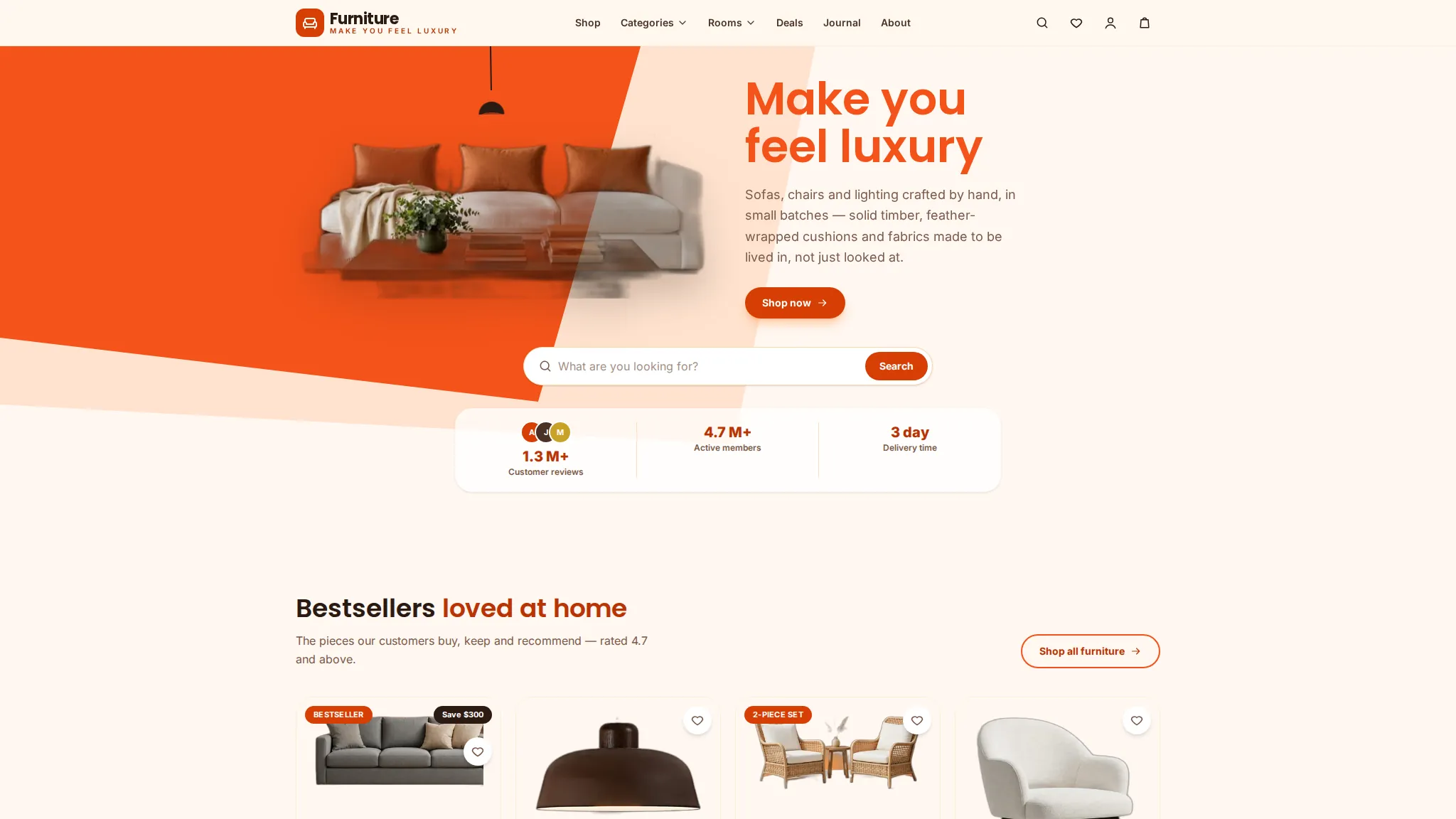
At a glance
Best for: furniture stores who want shoppers to browse by room or category, compare pieces and check out online before visiting a showroom.
Furniture is a luxury furniture demo store: shop by category or by room, product pages with a cart and wishlist, a demo checkout with a confirmation page, plus showroom, financing, trade and delivery pages. Everything runs in the browser as a working demo — you can fill the cart and check out, but no payment is taken and nothing is delivered.
The problem
Demo scenario — a typical situation for this kind of business, not a real client's problem.
A typical furniture-store problem: a sofa or table is a big purchase, so shoppers want to see it in a room, check its size and compare it with other pieces before they commit; showroom visits, financing questions and delivery details all arrive as separate phone calls. A visitor who cannot picture a piece at home or find delivery terms leaves without buying. This is a demo scenario for this kind of business — the store is not real and had no real customer problem to solve.
How we approached it
- 1 Shop by room as well as by category, so a shopper starts from the space they are furnishing, not a product list. Furniture is bought for a room, not in isolation, so the room is the natural starting point. A living-room view shows pieces together, which a category list of sofas alone cannot do.
- 2 Showrooms, financing, trade and delivery get their own pages, instead of hiding that information in a FAQ. A big purchase raises practical questions — where to see it, how to pay for it, and how it arrives. Answering them on dedicated pages keeps shoppers moving instead of sending them to the phone.
- 3 Checkout stays a demo with a clear footer note that prices and stock are illustrative, and no payment step. The point of the demo is to show the buying flow, not to take money. A visitor can try the full journey safely, and a real store would connect its own payment and delivery setup.
What the demo includes
- Shop by category and by room
- Product pages with cart and wishlist
- Demo checkout with confirmation page
- Showrooms page (three locations)
- Financing and trade pages
- Delivery and returns pages
- Live search and deals pages
- Order tracking page
What you can try
- 1 Browse a room on /rooms/ and a category on /categories/, then open a product page
- 2 Add a piece to the cart and go through the demo checkout — no payment is taken
- 3 Use the live search on /shop/ to find a piece by name
- 4 Open /showrooms/ for the three showroom locations and /financing/ for payment options
Limitations
- Demo data only — the products, prices, stock and contact details (hello@furniture.example, (985) 555-0148, Covington, LA) are illustrative
- No real order, payment or delivery happens — the checkout ends on a demo confirmation page
- Showroom addresses and opening hours are demo content, not a real store you can visit
- No client results or metrics exist yet — this demo has never sold real furniture, so nothing about sales can be claimed
Your next step
Want a furniture store like this? Order the Catalogue / Menu Website service and we will build it with your real products, prices and checkout setup.
The project
A luxury furniture store — shop by category or by room, product pages, cart and wishlist, demo checkout with confirmation, and showroom info.
The story
Shoppers can browse furniture by room, filter collections with live search, check out, and explore financing, trade and delivery pages.
What we built
- Shop by category & by room
- Live search filtering
- Cart, wishlist & demo checkout
- Showrooms, financing & trade pages
 View case study Mr. L Production Video production studio · Online
Contact us
Questions before ordering? Message us — we reply on WhatsApp.