
Zesty
Food delivery · Online
At a glance
Best for: food-delivery businesses who want customers to browse the menu, order in a few taps and track the food without calling.
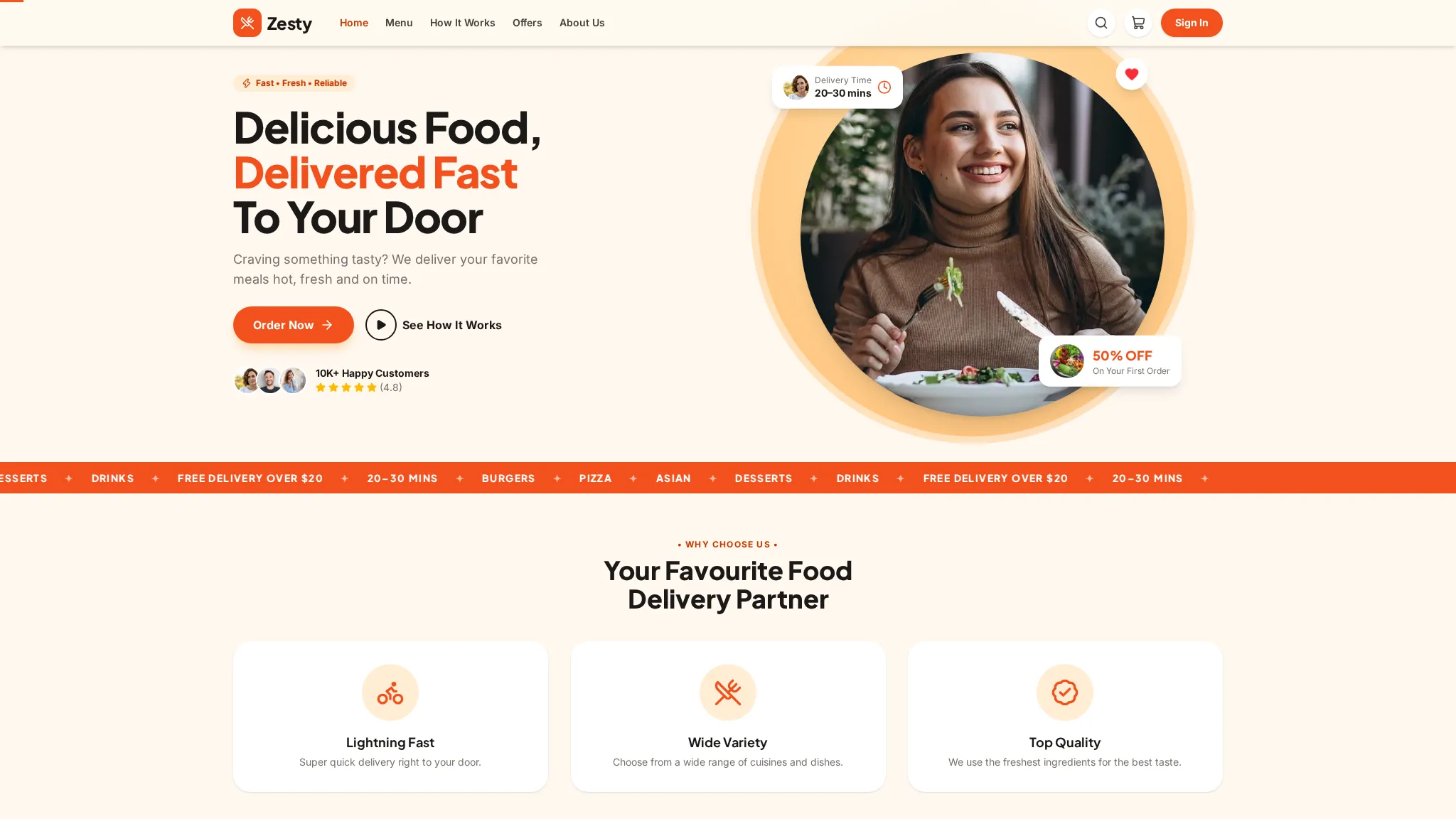
Zesty is a food-delivery demo: a menu with search, dish pages and a Veg filter, a cart drawer, a demo checkout, an orders page with tracking, favourites, rewards and gift cards. It also has catering, delivery areas and an offers page. Everything runs in the browser as a working demo — the checkout takes no real payment and catering enquiries are not sent anywhere.
The problem
Demo scenario — a typical situation for this kind of business, not a real client's problem.
A typical food-delivery problem: the menu lives as photos or a PDF, so customers cannot search dishes, filter by Veg or see prices; orders arrive by phone or message, so addresses and items get mixed up; and after ordering there is no tracking link, so customers call to ask where the food is. A menu with search, a cart and live tracking would end most of that. This is a demo scenario — Zesty is not a real delivery service and had no real customer problem to solve.
How we approached it
- 1 One menu with search, a Veg filter and sorting, plus a dish page for every item, instead of a photo of the menu. Hungry customers search for a dish or filter by Veg first and check the price second. A searchable menu answers both in seconds, where a photo of a menu answers neither.
- 2 A demo checkout in a cart drawer with a clear note that no real payment is taken, and an orders page with tracking. The demo shows the whole journey from dish to door, including the tracking a customer would actually watch. A real service would connect its own payment provider and riders.
- 3 Catering kept as its own demo page with an enquiry note, instead of mixing party orders into the food menu. Catering is a different sale — platters, dates and headcounts, not single dishes. Its own page with its own enquiry form keeps the two journeys from confusing each other.
What the demo includes
- Menu with search, Veg filter and sorting
- 12 dish pages
- Cart drawer and demo checkout
- Orders page with tracking
- Favourites, rewards and gift cards
- Offers and how-it-works pages
- Catering and delivery-areas pages
- Demo sign-in and account page
What you can try
- 1 Filter the menu by Veg on /menu/ and open a dish page
- 2 Add dishes to the cart and open the demo checkout — no payment is taken
- 3 Open /orders/ to see how order tracking is shown
- 4 Open /catering/ and read the demo note on the enquiry form
Limitations
- Demo data only — the dishes, prices and delivery areas are illustrative, and the contact details on the site are placeholders
- No real orders, payments or deliveries are made — the checkout states no real payment is taken
- Catering enquiries are not sent anywhere — the page states it is a demo page with no real booking
- No client results or metrics exist yet — this demo has never run a real delivery service, so nothing about orders or delivery times can be claimed
Your next step
Want a food-delivery site like this? Order the Catalogue / Menu Website service and we will build it with your real menu, prices and delivery setup.
The project
A food-delivery site — menu with search and dish pages, cart drawer, orders flow, favourites, rewards and gift cards.
The story
Visitors can browse the menu, open dish pages, add food to the cart, place an order and check rewards and gift cards.
What we built
- Menu with search & dish pages
- Cart drawer & orders flow
- Favourites, rewards & gift cards
- Delivery-areas & catering pages
 View case study The Happy Inn Boutique hotel · San Francisco
Contact us
Questions before ordering? Message us — we reply on WhatsApp.